Best WordPress SEO Plugins: Complete Guide to Schema & Rich Snippets
Discover the best WordPress SEO plugins for 2024! Learn how schema markup and rich snippets can boost your search rankings, increase click-through rates, and drive more organic traffic to your site.
ASALogsAgency Team
Author
WordPress powers over 40% of all websites on the internet, and its true strength lies in its extensive plugin ecosystem. Whether you're building an e-commerce store, membership site, or content-driven blog, SEO plugins are essential for ranking higher in search results. In this comprehensive guide, we'll explore the best WordPress SEO plugins, with a special focus on schema markup and rich snippets that can dramatically improve your search visibility.
Why WordPress SEO Plugins Matter
WordPress is incredibly flexible, but out-of-the-box, it needs optimization to compete in search rankings. SEO plugins help you:
✓ Optimize content for target keywords
✓ Improve technical SEO elements
✓ Add structured data (schema markup)
✓ Enhance page load speed
✓ Create XML sitemaps
✓ Manage meta descriptions and titles
With thousands of plugins available, choosing the right ones can transform your website's search performance.
What is Schema Markup and Why Does It Matter?
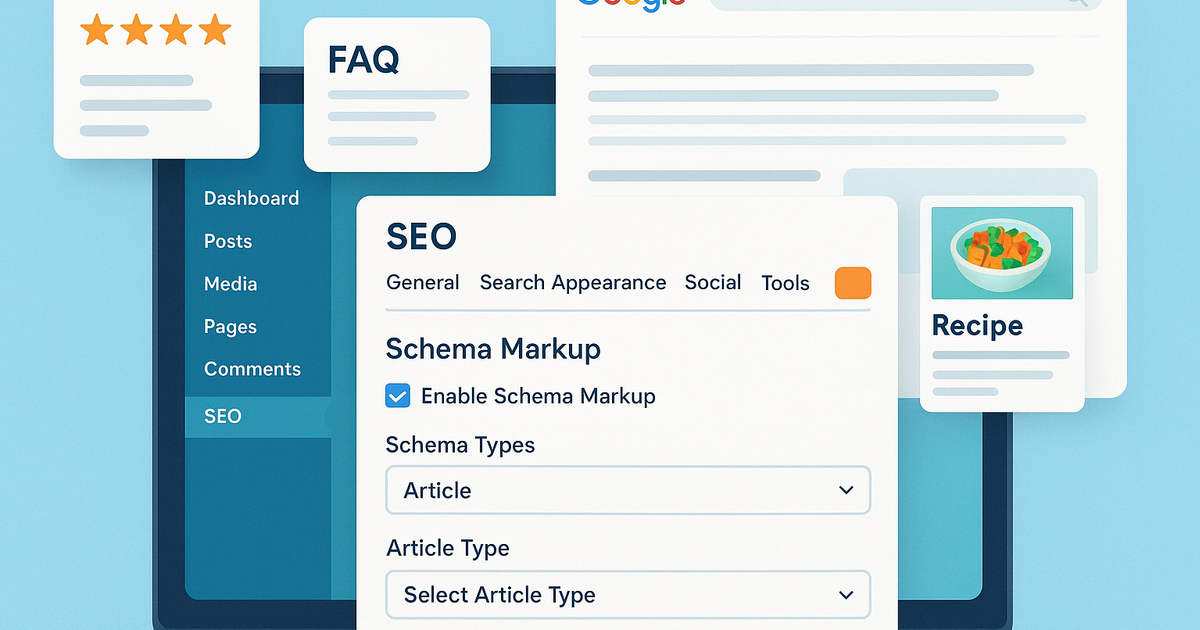
Schema markup is structured data code that helps search engines understand your content better. It's a form of HTML that provides context about your page content, enabling Google to display rich snippets in search results.
What Are Rich Snippets?
Rich snippets are enhanced search results that display additional information beyond the standard title, URL, and meta description. Examples include:
- •⭐ Star ratings and reviews
- •🍳 Recipe cooking times and ingredients
- •📅 Event dates and locations
- •❓ FAQ answers displayed directly in search
- •💰 Product prices and availability
- •🎥 Video thumbnails and durations
The Power of Featured Snippets:
Have you ever searched a question on Google and received an answer without clicking any link? That's a featured snippet powered by schema markup. Google extracts information from properly structured pages and displays it at "position zero" — above all organic results.
Best Schema & Rich Snippet Plugins
1. Schema Pro (Premium) — Best Overall
Price: Starting at $79/year
Schema Pro is the most comprehensive solution for adding structured data to your WordPress site. It automates the entire process, making it incredibly easy to implement.
Key Features:
- •13+ schema types including Articles, Reviews, Recipes, Videos, Courses, Events, Products, FAQs, and more
- •Automatic schema markup across your entire site
- •Custom schema for specific pages/posts
- •Compatible with popular page builders
- •Regular updates for Google's latest requirements
- •Beginner-friendly interface
Best For: Professional websites, e-commerce stores, content publishers who want automation and comprehensive coverage.
Why Choose Schema Pro:
If you're serious about SEO and want to save time, Schema Pro eliminates manual work by automatically applying the correct schema to your content based on rules you set.
2. All In One Schema Rich Snippets (Free)
Price: Free
This popular free plugin provides manual control over rich snippets on a page-by-page basis.
Key Features:
- •Review ratings
- •Event details
- •People/Person markup
- •Product information
- •Recipe schema
- •Software applications
- •Video objects
- •Articles
Best For: Budget-conscious users willing to manually configure schema on individual posts and pages.
Limitations:
Unlike Schema Pro, this plugin requires manual setup for each page. There's no site-wide automation, which can be time-consuming for larger websites.
3. WP SEO Structured Data Schema (Free)
Price: Free
Another solid free option with essential schema types for small to medium websites.
Key Features:
- •Video schema markup
- •Event structured data
- •Review ratings
- •Person/Author information
- •Geographic location data
- •Business hours (Local Business schema)
- •Lightweight and fast
Best For: Local businesses, bloggers, and small business websites that need basic schema functionality without premium costs.
Advantage:
Despite being free, this plugin offers powerful features for local SEO, including business hours and location markup — perfect for brick-and-mortar businesses.
How to Choose the Right Schema Plugin
Consider these factors when selecting a schema plugin:
1. Website Type:
- •E-commerce: Need Product schema
- •Food blog: Need Recipe schema
- •News site: Need Article schema
- •Service business: Need Local Business schema
2. Technical Skill Level:
- •Beginners: Choose automated solutions like Schema Pro
- •Advanced users: Manual plugins offer more control
3. Budget:
- •Free plugins work for basic needs
- •Premium plugins save time and offer support
4. Scale:
- •Small blogs: Manual configuration is manageable
- •Large sites: Automation is essential
Other Essential WordPress SEO Plugins
While schema markup is crucial, comprehensive SEO requires multiple tools:
General SEO Plugins:
- •Yoast SEO or Rank Math — Complete SEO optimization
- •All in One SEO Pack — Alternative all-in-one solution
Performance Optimization:
- •Smush — Image compression and optimization
- •WP Rocket — Caching and speed optimization
- •ShortPixel — Image compression
Local SEO:
- •Local SEO by Yoast — Google Business Profile integration
- •WP Google Maps — Location mapping
Content Optimization:
- •Table of Contents Plus — Improve user experience
- •Internal Link Juicer — Automated internal linking
Best Practices for Schema Implementation
1. Start with the Basics
Begin with Article schema for blog posts, then expand to more specific types as needed.
2. Test Your Markup
Use Google's Rich Results Test to validate your schema implementation.
3. Don't Over-Optimize
Only use relevant schema types. Adding irrelevant markup can hurt your SEO.
4. Keep it Updated
Google regularly updates schema requirements. Ensure your plugin receives regular updates.
5. Monitor Performance
Track how rich snippets affect your click-through rates in Google Search Console.
Common Schema Markup Mistakes to Avoid
❌ Using multiple conflicting schema plugins
❌ Adding schema for content that doesn't exist
❌ Ignoring schema validation errors
❌ Failing to update outdated markup
❌ Not matching schema type to actual content
The SEO Impact of Rich Snippets
Websites with properly implemented schema markup typically see:
- •20-30% higher click-through rates from search results
- •Better visibility in voice search results
- •Increased trust through star ratings and reviews
- •More qualified traffic from detailed search previews
- •Competitive advantage over sites without structured data
Conclusion
WordPress SEO plugins are essential tools for improving your search rankings and driving organic traffic. Schema markup plugins, in particular, give you a competitive edge by helping your content stand out in search results with rich snippets and featured snippets.
Quick Recommendations:
- •Best Premium Option: Schema Pro — Comprehensive automation and support
- •Best Free Option: All In One Schema Rich Snippets — Good manual control
- •Best for Local Business: WP SEO Structured Data Schema — Includes business hours and location
Remember, no two websites are identical, and SEO is an ongoing process. Start with the basics, implement schema markup appropriate for your content type, and continuously monitor your results. With the right combination of plugins and optimization strategies, you can significantly improve your WordPress site's search visibility.
Ready to get started? Choose a schema plugin that matches your needs and budget, implement it correctly, and watch your search presence grow!
Related Topics
Written by ASALogsAgency Team
Expert content creator specializing in technology, AI, and digital innovation. Passionate about sharing insights that drive business growth and digital transformation.
View all postsJoin the Discussion
Share your thoughts and engage with other readers
Comments section coming soon
![How to Create a Custom Permalink in WordPress [Complete Guide]](https://cdn.sanity.io/images/eeieuy98/production/56a641335b85ad424b31dfc1a005581eaf29d429-1536x1024.png?rect=0,128,1536,768&w=400&h=200)